V101
SMART LOCKER MANAGEMENT SOFTWARE
Manage your lockers
in one place.
For luggage, parcels, keys and personal belongings. mAILockers helps you organise availability, bookings, payments and access. Customers use a code or QR, while you keep track of each location.
- Online bookings
- Payments
- Collection codes
- Multiple locations
- lockers.rm.gr ↗
Example of opening a compartment with a code.
USE CASES
What would you like to use your lockers for?
Each service needs its own time limits, prices and access permissions. Set the rules for each location and manage the services through the same software.
-
Luggage storage
Visitors choose a location, size and duration, pay online and receive a code. Manage prices, extensions and late collection charges.
-
Parcel collection
The driver deposits the parcel and the recipient is notified to collect it. Follow deliveries, returns and any cash-on-delivery payments.
-
Key handover
Leave keys for accommodation guests or car rental customers. Set who can collect them and during which period.
-
Personal lockers
Assign compartments to employees, gym members or shared-space users, with individual codes and a defined period of use.
-
Repair drop-off
Customers leave an item for repair. Staff collect it and return it to the locker when it is ready for pickup.
Access hours depend on the location.
HOW IT WORKS
From booking or deposit to collection.
Choose an example and follow the steps. The exceptions show what happens if a customer is late, a parcel does not fit or the internet connection drops.
Step 1
Choose a locker
The customer chooses a location, size and duration based on availability.
Step 1
Register the parcel
The courier or shop enters the shipment and recipient details.
Step 1
Connection lost
The location loses its internet connection but still has power.
Select a step or use the arrow keys.
BOOKING WEBSITE
See the process from your customer’s side.
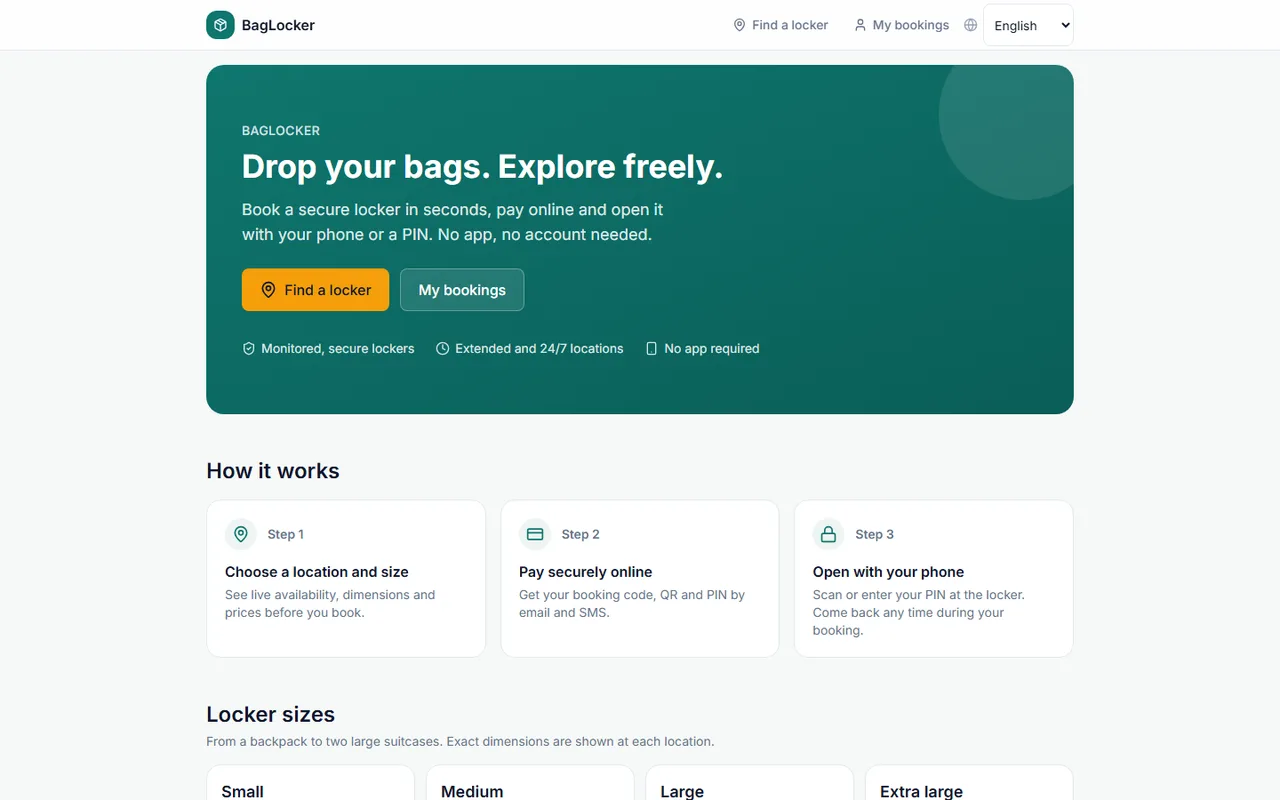
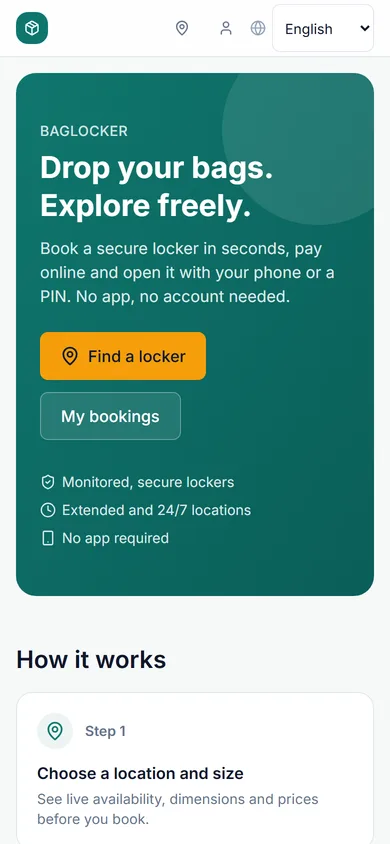
Visit lockers.rm.gr to see the luggage booking website: location and size selection, availability, prices and online payment. Customers use the service in their browser, without installing an app.
- Available sizes
- Price before booking
- Code and access instructions
lockers.rm.gr
COLLECTION WITHOUT INTERNET
Approved collections can continue when the internet drops.
Customers use their code on the screen. With a suitable setup, the location checks permissions it has already received and records the action. Updates are sent when the connection returns.
Requires compatible equipment, power and stored collection approval. New bookings, payments and deposits require internet access.
Connected
Simulation of collection without internet.
LOCKER SCREEN
A screen that guides customers through each step.
Customers choose their task, enter a PIN or scan a QR, and see which compartment to open. Use mAI Screen to adapt the design with your logo, colours and wording.
- Design templates
- Image or video background
- Greek and English text
- Space for messages or ads
Dark design
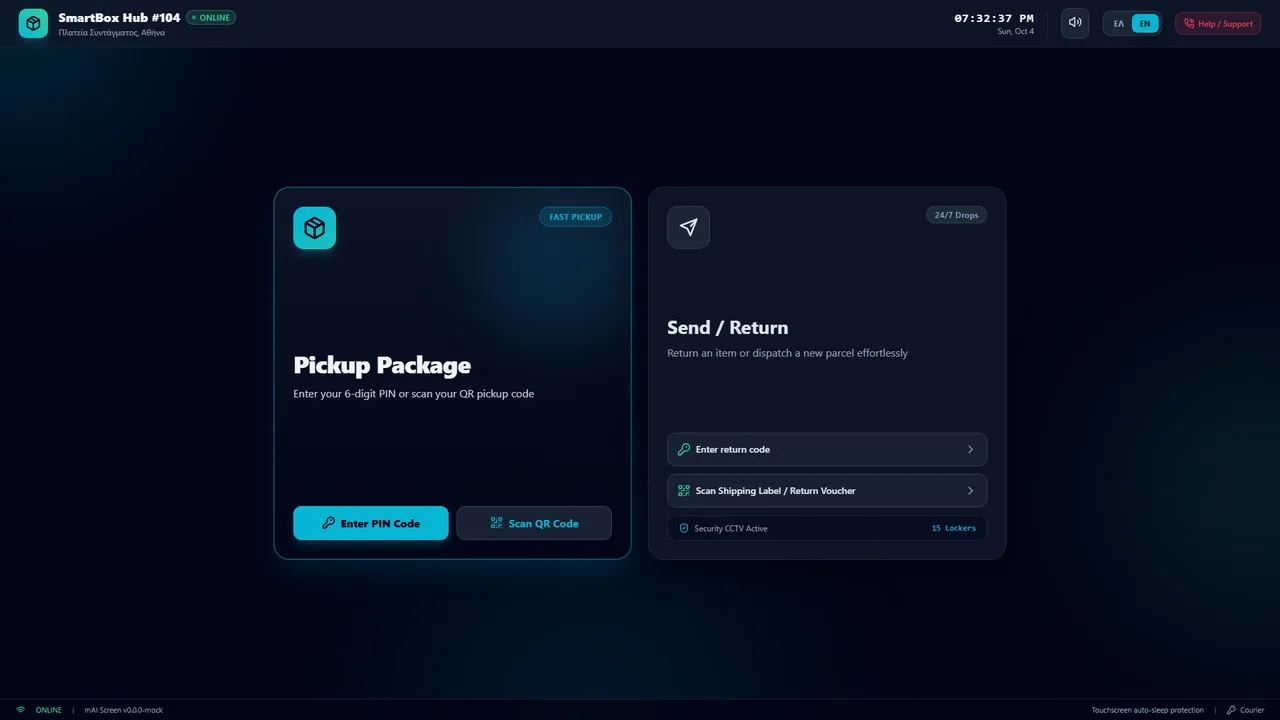
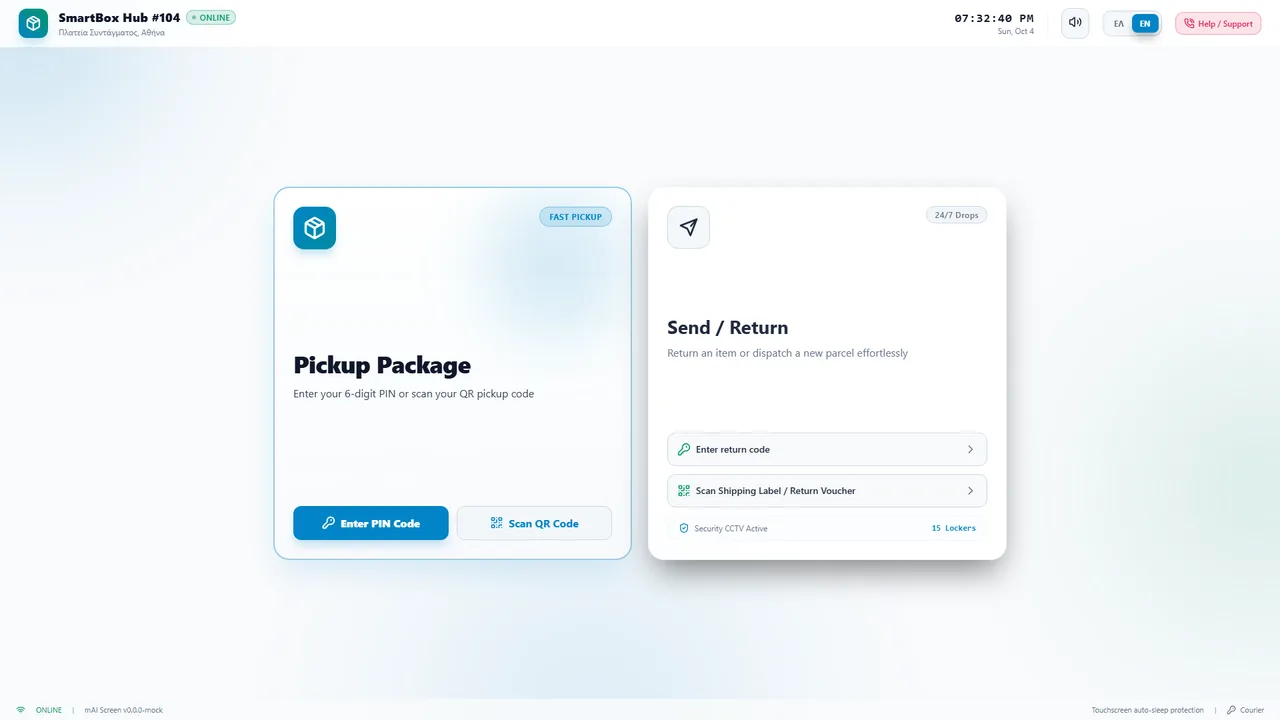
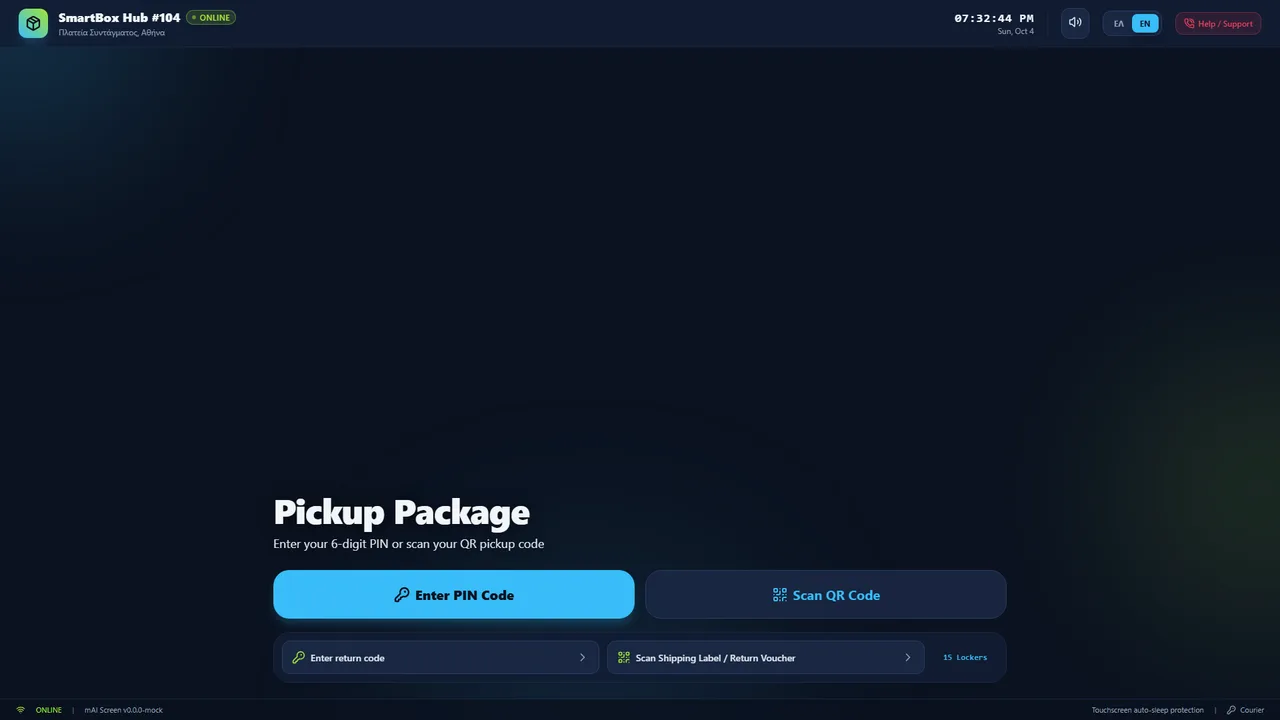
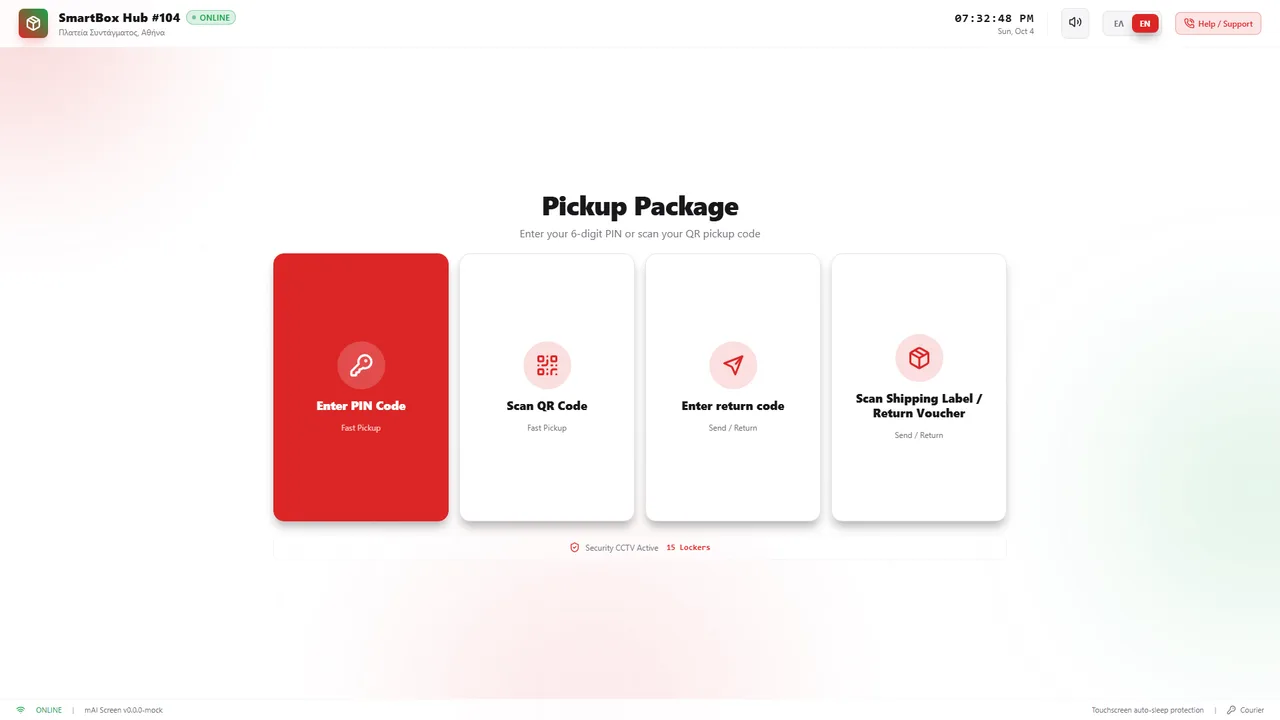
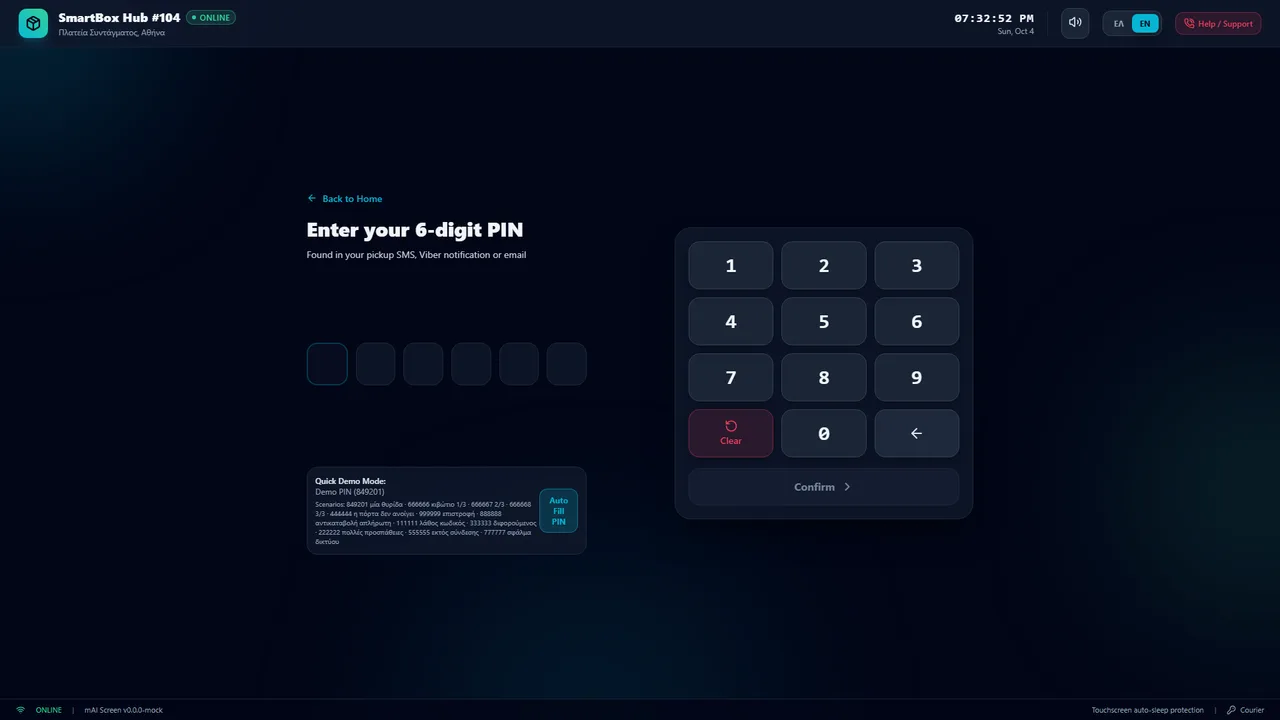
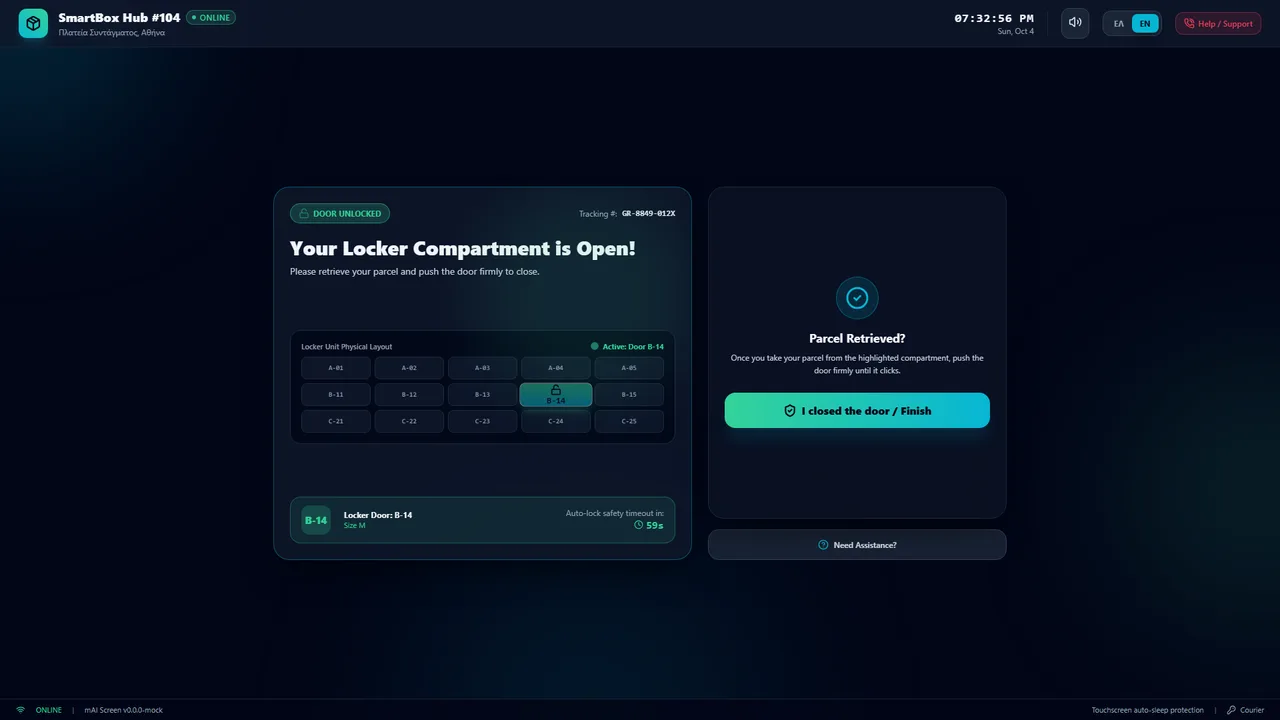
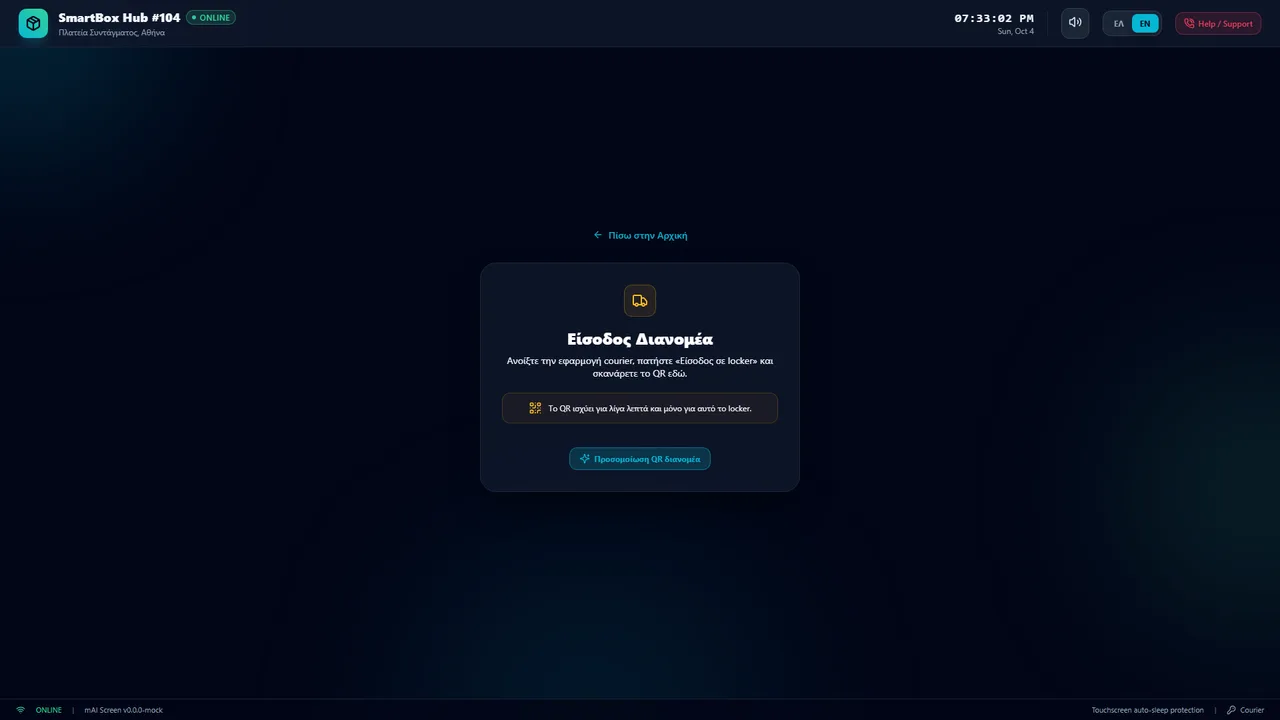
Try the locker screen A simulation using virtual doors. Code 849201 shows an example opening.
More about mAI Screen ↗ OCCUPANCY AND REVENUE
Review each location’s use and run your own calculations.
Follow compartment usage, the services customers choose and recorded revenue. Use the calculator to explore a locker rental scenario with your own assumptions.
Illustrative demonstration data
Occupancy by hour
Share of compartments in use
72% 18:00
Occupancy by hour. Weekday: 0h 6%, 1h 4%, 2h 3%, 3h 3%, 4h 4%, 5h 9%, 6h 18%, 7h 31%, 8h 44%, 9h 52%, 10h 58%, 11h 63%, 12h 68%, 13h 66%, 14h 61%, 15h 57%, 16h 60%, 17h 67%, 18h 72%, 19h 64%, 20h 48%, 21h 32%, 22h 18%, 23h 10%. Weekend: 0h 10%, 1h 7%, 2h 5%, 3h 4%, 4h 4%, 5h 6%, 6h 10%, 7h 19%, 8h 34%, 9h 52%, 10h 71%, 11h 83%, 12h 88%, 13h 86%, 14h 80%, 15h 72%, 16h 66%, 17h 61%, 18h 55%, 19h 47%, 20h 37%, 21h 26%, 22h 18%, 23h 13%. Illustrative demonstration data.
Revenue by service
Example of a location offering several services
- Luggage58%
- Parcels27%
- Keys8%
- Personal7%
Estimated locker rental revenue
—
Estimated monthly revenue at the selected occupancy
—
Estimated first-year revenue using the start-up assumptions
Illustrative gross revenue calculation, before expenses, fees or taxes. This is not a profit forecast. Daily rental does not cover every charging model, such as courier agreements.
View the calculation assumptions
The calculation uses 30 days per month. It applies 40%, 65% and 85% of your selected occupancy in the first three months, then 100% from month four. These are assumptions used for the example.
APPS
The tools each user needs.
-
Customer website
Choose a location, book, pay and manage a booking on a phone, with your business branding.
-
Locker screen
Instructions for PIN or QR collection and the tasks available at the location.
-
Driver app
Scan, deposit and collect parcels, with a view of the compartment layout.
-
Technician app
Check the installation, test doors and record maintenance work.
-
Business management
View locations, bookings, parcels, partners, prices and financial records together.
CONTROL AND ACCESS
Set access permissions and see what has happened.
-
Connect your equipment
We review your controller and communication protocol before planning the connection.
-
Controlled opening
Access is linked to the authorised use and service rules.
-
Code management
Codes are linked to specific permissions and checked before opening is allowed.
-
Multiple businesses
Access is organised by business and role, with separate records.
-
Action history
See who changed a price, performed an action or handled a return, and when.
-
Personal data
Restrict access by role and handle export or deletion requests through your procedures.
COURIER AND APPLICATION INTEGRATIONS
Connect your lockers to the system you already use.
Through the API, a courier or shop can send shipments, check availability and receive deposit, collection and return updates. Each partner can access its permitted information.
- Shipment registration
- Capacity checks
- Deposit codes
- Collection and return updates
For shipments, waybills and driver management, explore mAICourier and its connection to mAILockers.
Explore mAICourierAPI documentation and examples are available for your development team. Integration is reviewed around your system and requirements.
Technical information
curl -X POST $LOCKERS_API_URL/shipments \
  -H "x-api-key: $LOCKERS_API_KEY" \
  -H "Idempotency-Key: ord-2026-10-04-0042" \
  -H "content-type: application/json" \
  -d '{
    "locationId": "01a06ce1-802c-…",
    "mode": "PARCEL",
    "sizeCode": "M",
    "recipientName": "Eleni P.",
    "recipientPhone": "+30 69…",
    "codAmountMinor": 2490
  }'

→ 201 { "trackingRef": "SLCNS78WA55TN",
        "status": "ASSIGNED", "compartment": "V104" }
POST /integrations/lockers/webhook
x-slc-event: parcel.picked_up
x-slc-timestamp: 1791100800
x-slc-signature: base64(HMAC-SHA256(secret, ts + "." + body))
{ "name": "parcel.picked_up",
"aggregateId": "01a1…",
"payload": { "trackingRef": "SLCNS78WA55TN",
"compartment": "V104",
"offline": false } }FAQ
Frequently asked questions
Who is it for?
Couriers, shops, luggage storage operators, accommodation providers, car rental businesses and organisations that need to manage locker access.
Do I need a particular type of locker?
Compatibility depends on the controller and communication protocol. Send us your equipment details so we can review the connection before installation.
What happens if the internet drops?
With a suitable setup, already approved collections can continue using a code on the screen. Power and stored access permission are required. New bookings, payments and deposits wait until connectivity returns.
Can different couriers use the same location?
Yes. The operator can organise partnerships with separate access and updates for each partner.
How do payments and cash on delivery work?
Online payments connect to the operator’s payment provider. Any required COD payment or other charge is checked before access is granted. During the demo, we review the process you need.
Does the customer need to install an app?
The booking website works in a browser. Access uses the options available at the location, such as a PIN or QR.
Which languages do the applications support?
The core support currently described is Greek and English. If you need another language, we can review which applications and notifications need translation.
What is needed to open a new location?
Compatibility checks, equipment installation, connectivity, compartment testing, and service and price setup. The schedule is agreed after reviewing your installation.
Tell us what you want to do with your lockers.
Already have lockers, or planning a new installation? Tell us where they will operate, who they will serve and which equipment you plan to use. We will show you the relevant process and discuss the next steps.
Email us at [email protected].